1
Emphasize the uniqueness of the rental-based model
2
Design exclusive features such as rental period reminders
3
Optimize offline book management (since rentals expire)


6 months
UI UX designer
UI/UX design
APP


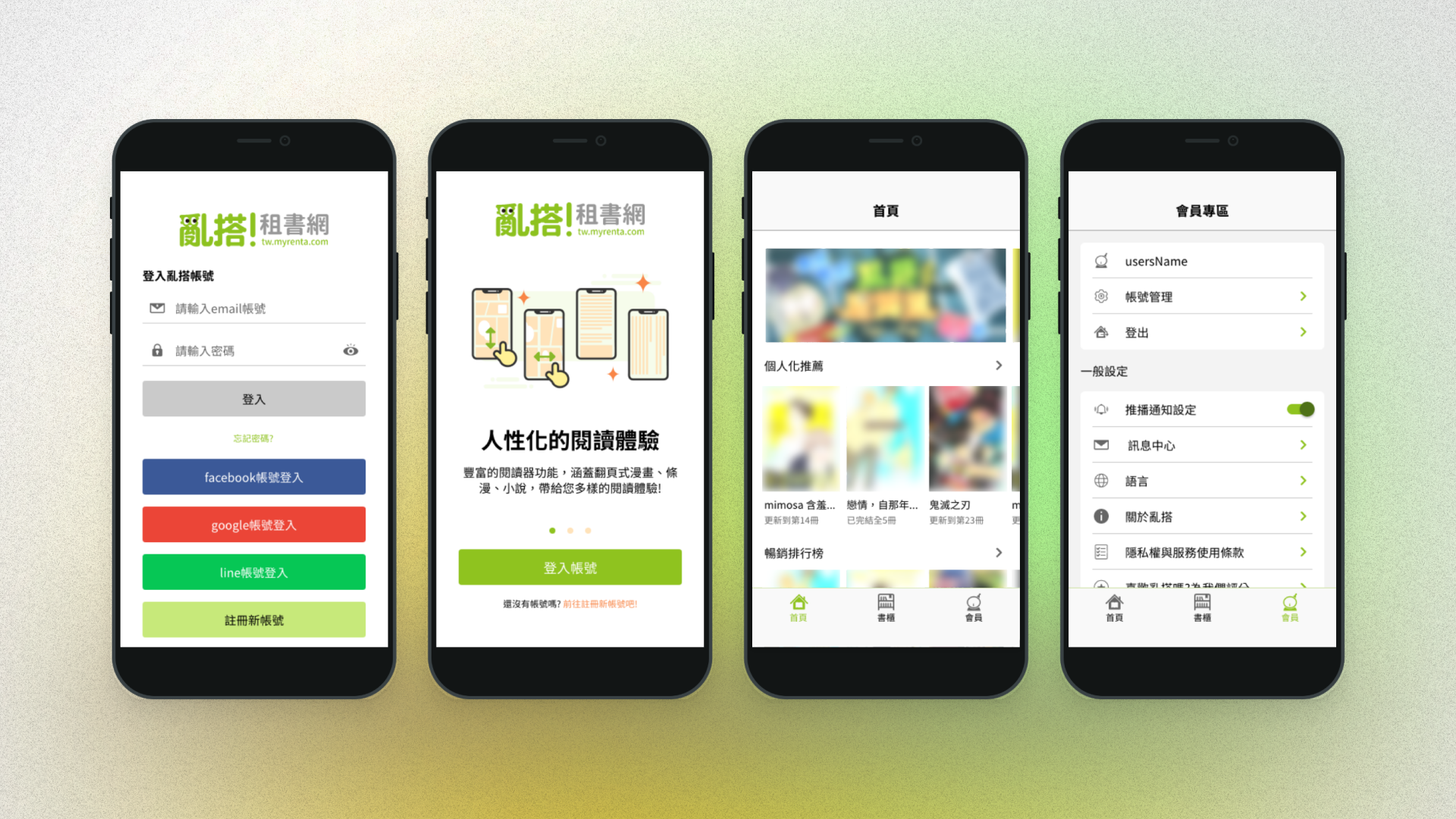


In March 2020, the company initiated planning for the Renta rental book platform mobile app. At the time, there was no dedicated app engineer on the team, so the project began as a planning-focused initiative. I included both iOS and Android app planning within my UI/UX scope and conducted stakeholder interviews during meetings to understand the company’s expectations and product direction for the app.
The initial version focused on:
1. Excluding in-app purchase flows
2. Providing full product exposure and directing users to the website for purchases
3. Developing an online reader and offline reading experience
In July 2021, the company hired a Flutter app engineer and decided to use Flutter as the cross-platform development framework. Since the original design planning was based on separate iOS and Android versions, the UI needed to be adjusted to align with Flutter’s cross-platform components. I worked closely with the engineer to align on the offline reader architecture and implementation approach.
UI/UX design, UI design system creation, prototypes, wireframes, UI flows, usability testing, data analysis and testing
Project timeline management, product ownership
Joined after the overall product planning was completed
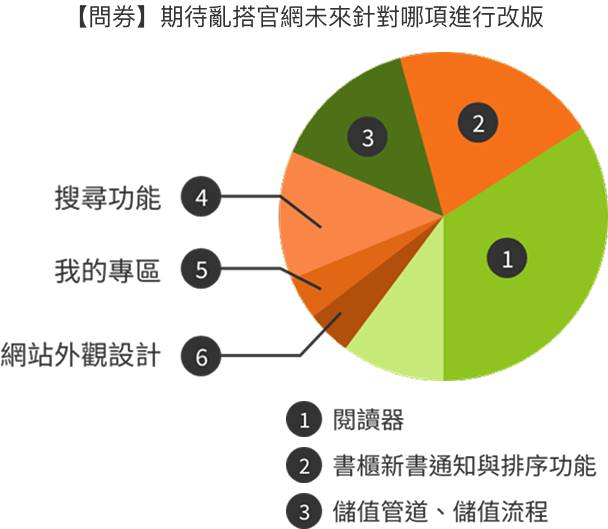
In October 2020, the marketing team led a satisfaction survey distributed via social media to understand user behavior and collect suggestions for site improvements.
Survey results showed strong demand for:
1. Improvements to the existing web reader
2. A dedicated offline reading app.
Many users were simultaneously using competitor platforms for reading manga and novels. The lack of an app-based reading experience was a clear gap, and app development was already included in the company’s annual goals.
App-Related Survey InsightsFrom over 4,000 survey responses, I filtered all entries mentioning “app,” resulting in approximately 50 relevant responses. These appeared mainly in open-ended fields such as:“Messages to Renta for its 6th anniversary”,“Further suggestions for improvements”,“Features you hope Renta will improve in the future”.
Most responses were feature requests, clearly indicating a strong demand for a dedicated app. Around 80% of relevant responses explicitly requested a Renta mobile app to improve mobile usability.
Key User Feedback (6 Selected Responses)

Having an app would feel more secure and provide a better login experience.

I hope it can connect with the Renta app reader—download once and read offline. The US version of Renta could be a reference.

Loading times are quite long. An app would allow downloads so books can be read anytime without internet.

There is no mobile app. (mentioned as a reason for not topping up)

The website sometimes crashes or logs me out. I hope there will be a Renta app for easier use.

A standalone bookshelf reading app would be much more convenient than having to enter the website every time.
A member-only offline reading app focused on reading functionality.
No guest or logged-out version was planned.
Inspired by: Readmoo (depth of reading features) BookWalker (manga reading optimization). The goal was to deliver a best-in-class manga reading experience, especially in:Download managementFixed-layout page-turning performance
Based on Google Analytics and Google Ads audience data from the Renta website, I identified that the primary users are women aged 18–44. Using this core demographic and combining it with common browsing and search behaviors, I created representative personas to ensure UX flows closely reflected real usage scenarios.

Deep loyalty to specific authors or genres (e.g., exclusive BL/TL manga). Willing to pay for high-quality content via rental or purchase.
Interrupted by notifications or ads, needs fast access to downloaded content
A stable, immersive reading experience.

Wants to read rented manga anytime, anywhere during commutes without waiting for downloads or connectivity.
Cannot read when offline, slow app startup or page loading
Quick reading during short breaks.
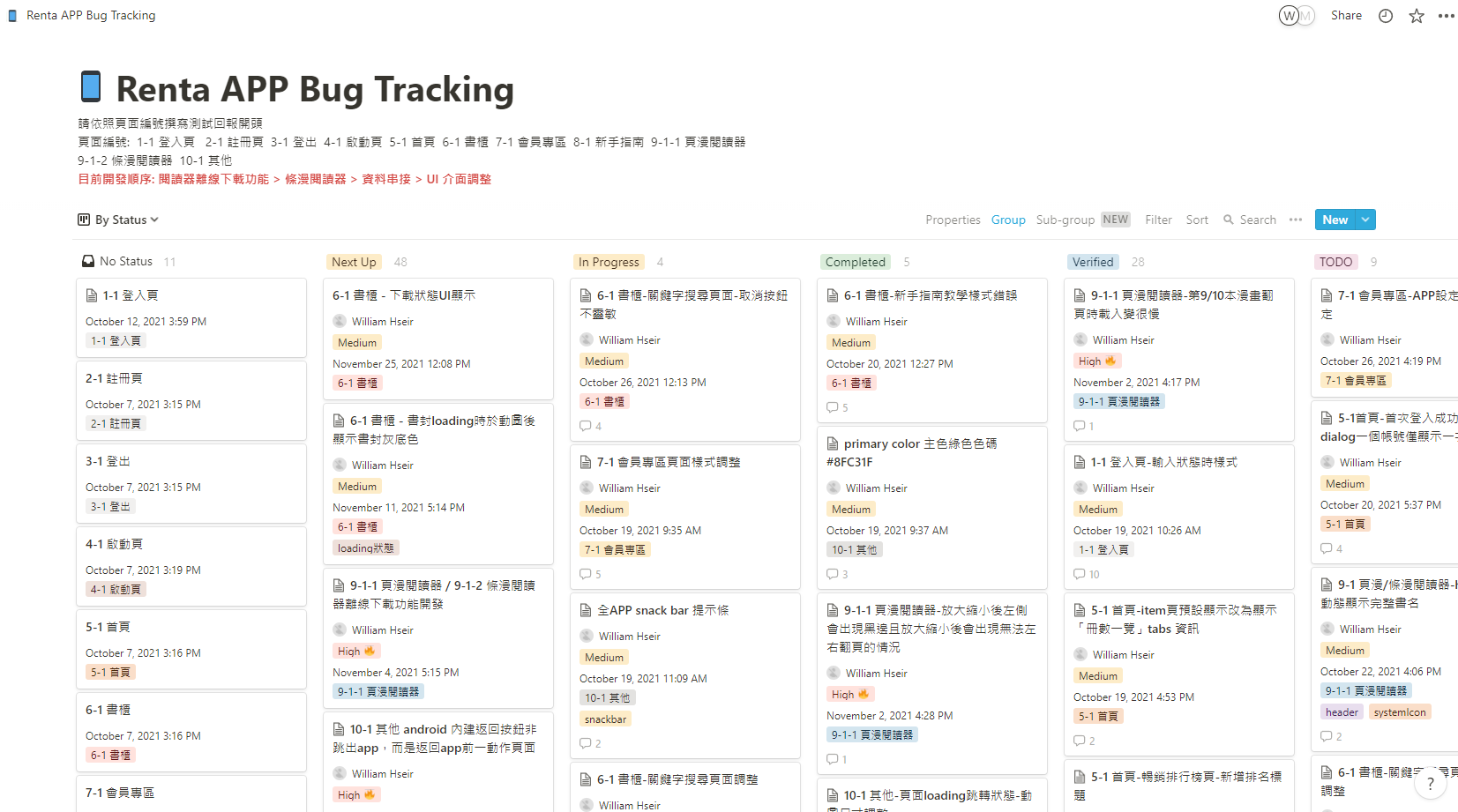
After the app engineer joined, I proposed introducing a structured testing feedback process. Considering traceability and efficiency, we adopted Notion for test reporting after discussions with stakeholders and engineers.
The platform contains adult-rated content. Since age rating is mandatory for app submissions—and the website previously relied only on a frontend age confirmation popup without storing age data—we decided:
1. To exclude online reading in the app
2. To develop offline reading only, with age verification during download
3. To redesign the membership system to store user age data in the backend
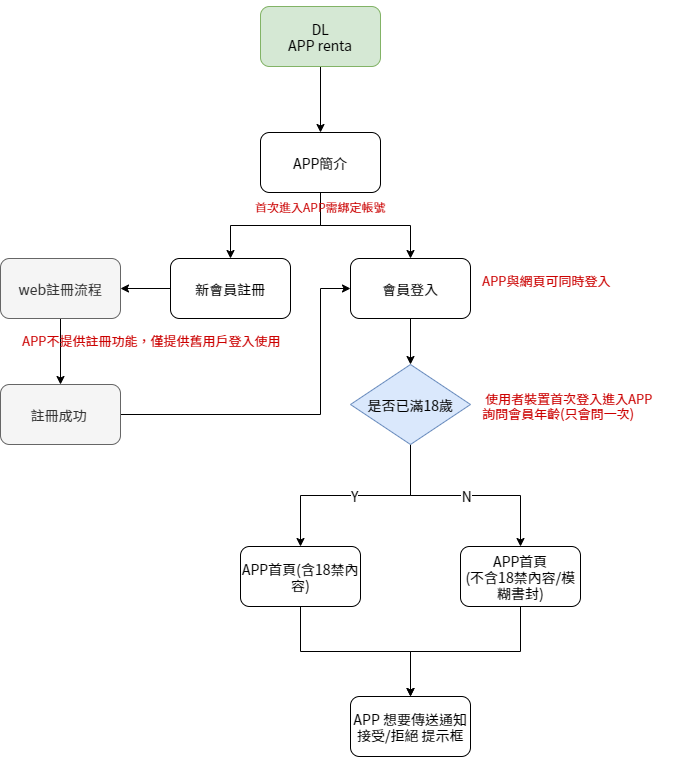
At the same time, we aimed to use the app launch as an opportunity to redesign the platform’s member age data flow and store users’ age information within the system.
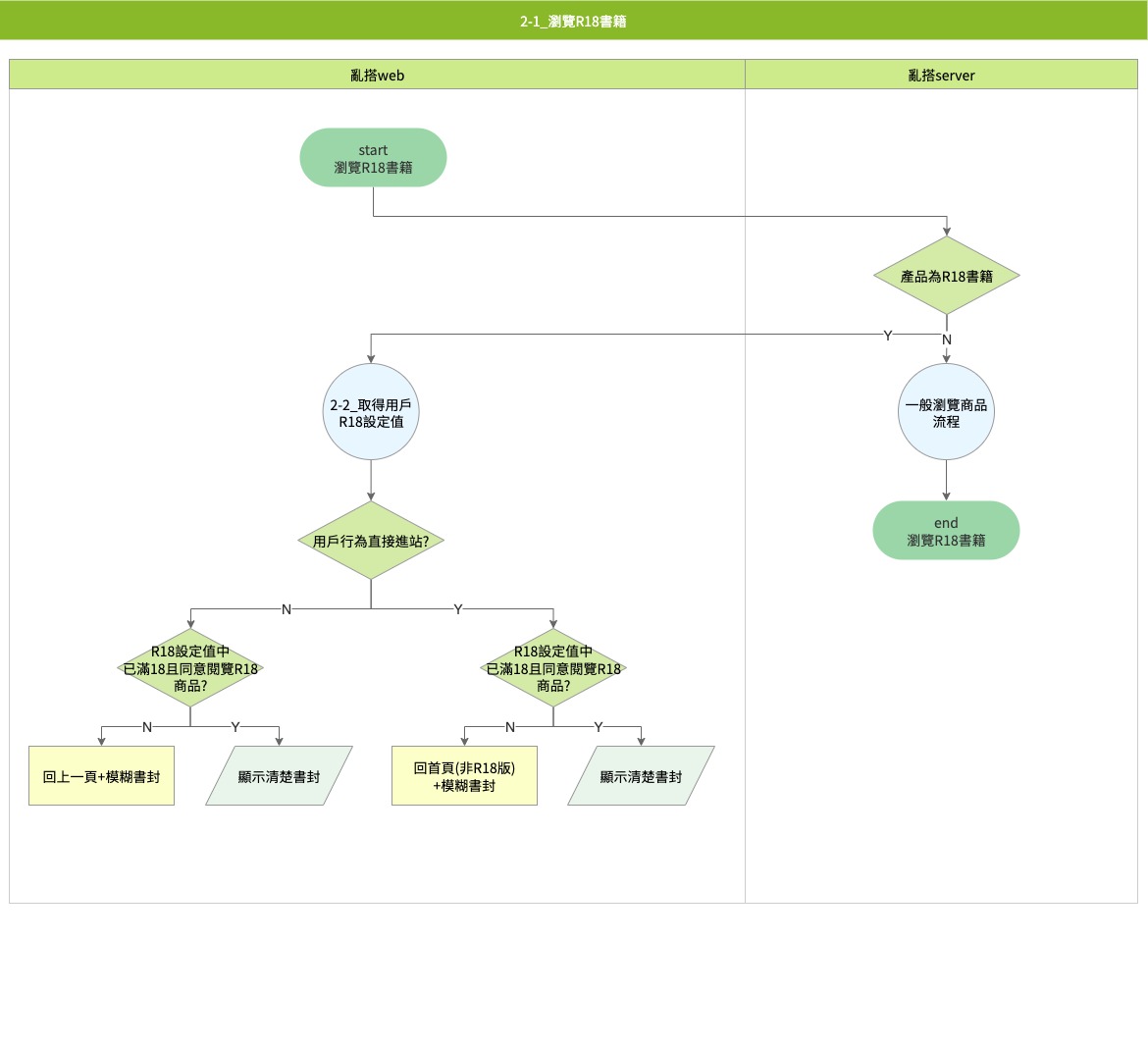
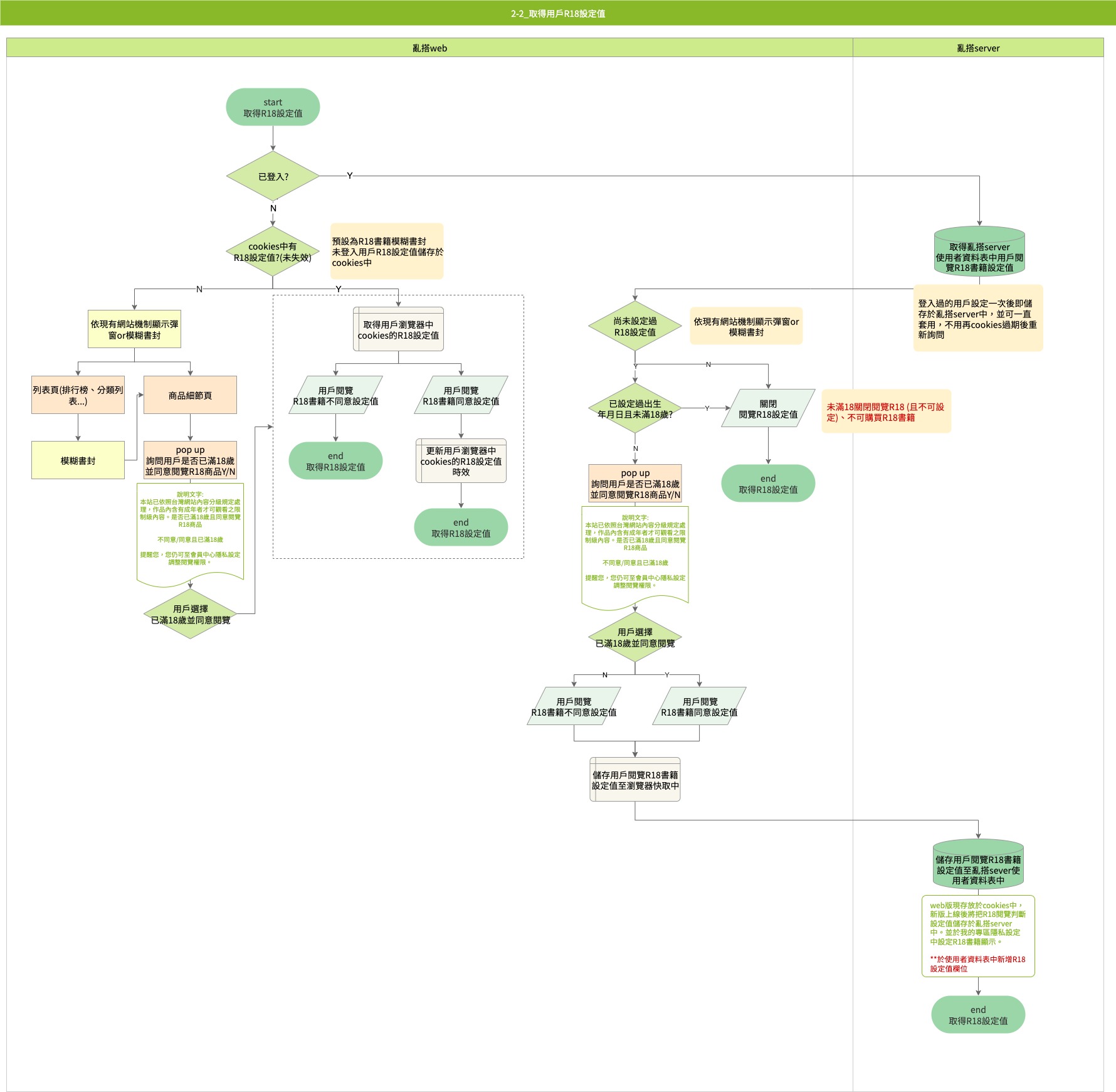
After aligning with stakeholders and company goals, we decided the first app version would focus on offline reading and bookshelf features.

Collaborated with engineers to define page structures, routes, and overall architecture.
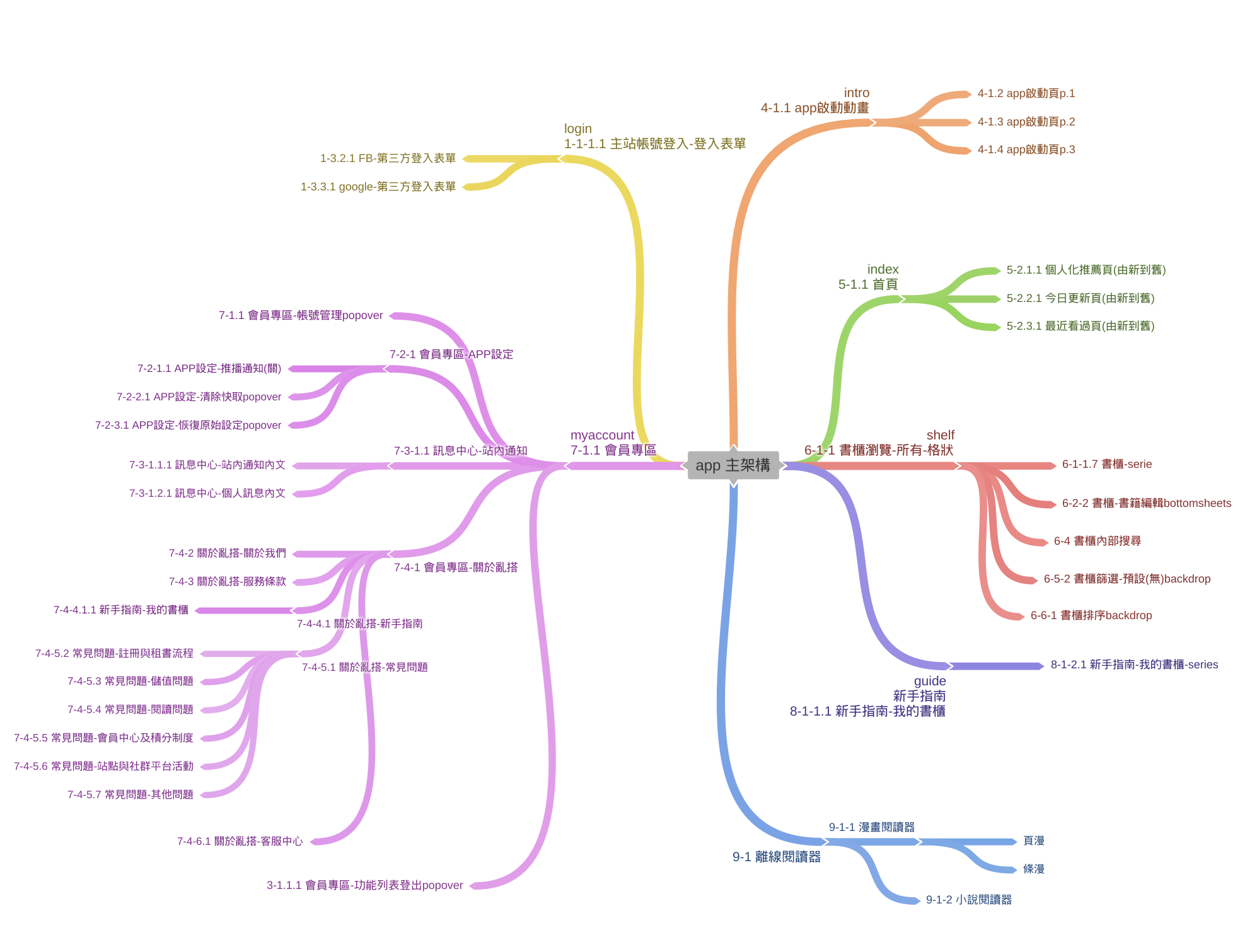
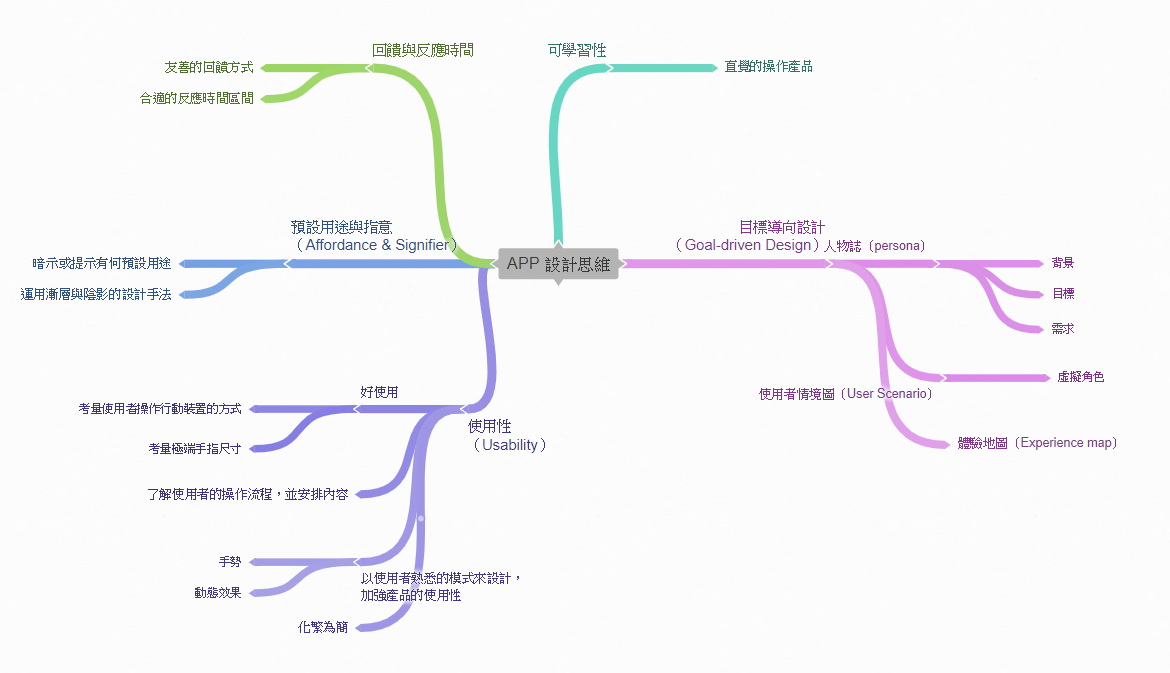
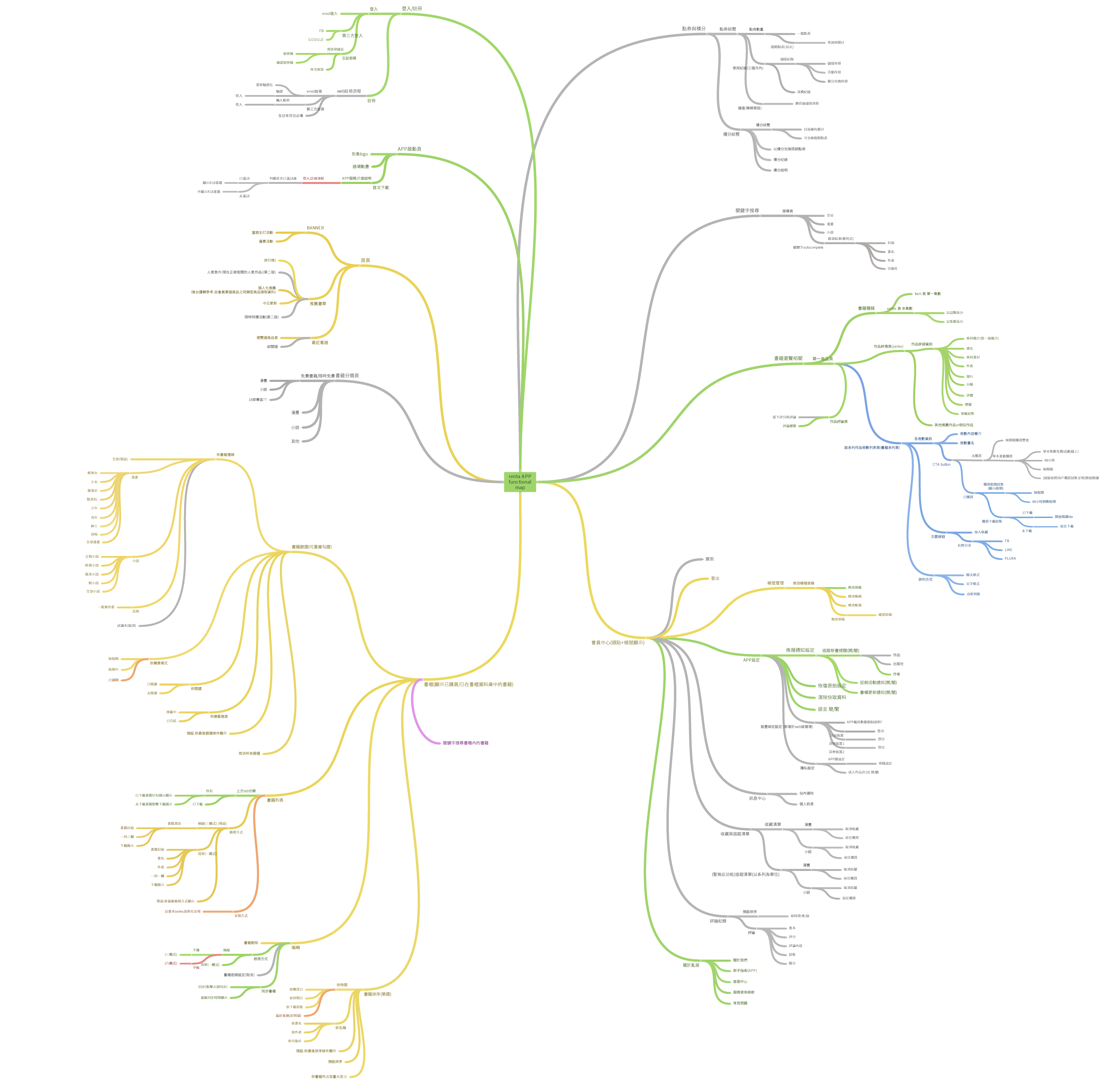


Our product is positioned as a member-only offline reading app with a strong focus on reading functionality. Therefore, no logged-out version was developed; users are guided directly to log in after downloading the app.
When designing the login and registration flows, we took existing resources into consideration. The registration flow, password recovery, third-party login, and sign-up process are handled by opening an in-app browser that redirects users to the web-based flow. Login validation feedback is displayed using Flutter Snackbars to indicate correct or incorrect account information, while other first-time login permissions and settings are presented using Flutter AlertDialog modals.
When users log in to the app for the first time, an app usage introduction is displayed.

During the first login, notification settings are presented to encourage engagement through new release alerts and promotional offers.

The registration and password recovery flows are handled by opening an in-app browser that redirects users to the web-based process.

If a user logs in with a different account, the app displays a prompt informing them that all downloaded content associated with the previous account will be automatically removed. This prevents downloaded data from occupying device storage unnecessarily and helps maintain data security.

Multiple account switching was not supported in this app planning phase. Each app instance can be bound to only one account at a time. After the user logs out, the login screen retains the last logged-in account information to enable faster and more convenient login on the next use.
The bookshelf was designed based on the website’s product structure. The bookshelf displays series collections, and entering a specific series page reveals each individual volume within that series.For example, Haikyuu!! has a total of 45 volumes. If a user has rented 10 volumes, the “My Bookshelf” page displays only a single Haikyuu!! cover. After entering the Haikyuu!! Series page, the 10 rented volumes are shown. Users can download and read content from the series page.

Multiple layout options are provided for displaying bookshelf items.

Books can be sorted based on rental period and other conditions.

Books can be filtered by different categories and product attributes.

Users can also search for books using keywords.

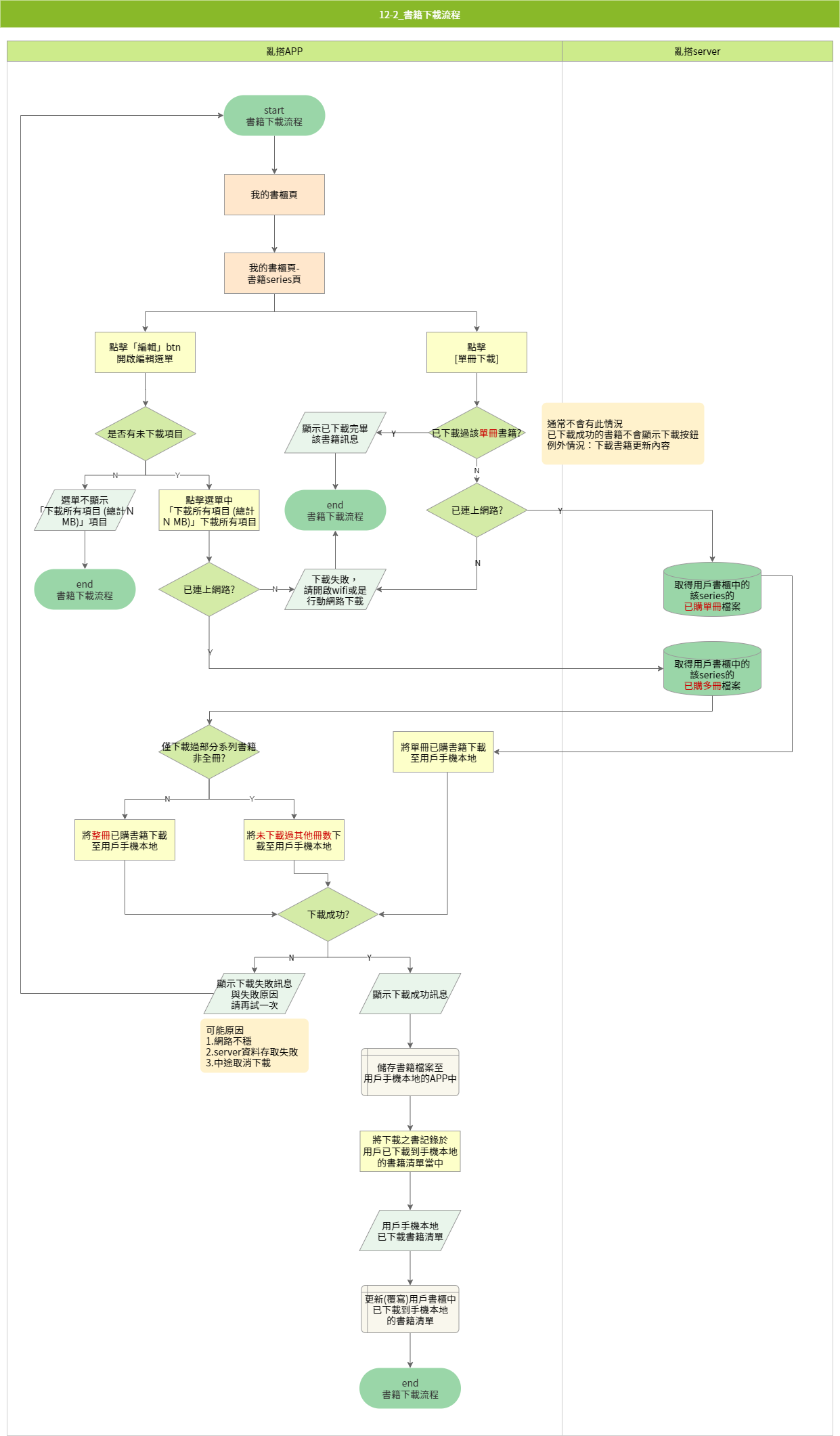
Users can navigate to a series page in the bookshelf to download individual volumes. Once the download is complete, the book can be opened directly in the reader. If the user is offline, a prompt will appear asking them to enable a network connection.

On the series page, users can download an entire series at once using a one-tap batch download feature.

Since offline downloads occupy device storage, users can view the total storage usage of downloaded items and delete books from the download management page.

Reader touch gestures include:
1. Zoom in/out: pinch to zoom, double-tap to zoom
2. Page turning modes:
- Tap left/right edges
- Swipe left/right
- Swipe up/down
3. Tap center to open the control menu

Users can switch between volumes within the reader. Based on purchase and download status, the app displays appropriate prompts. If the next volume has already been downloaded, the reader jumps directly to the next volume.

A step-by-step tutorial is displayed when users use the reader for the first time.
The app homepage displays data-driven personalized book recommendations. Since the app does not support in-app purchases, users are guided to open the in-app browser and complete purchases on the official website. The product page within the app is limited to information display and online preview.


The product page supports browsing only and redirects users to the website for purchase.

The preview page opens an online reader for sample reading. The interaction behavior is identical to the app’s offline reader, but content is streamed from the online database.